Archive
Enable support for Configuration Manager extensions in Windows Admin Center v2
Windows Admin Center (WAC) v1 (2311, MSI,…) has it’s own extension feed (https://aka.ms/sme-extension-feed):
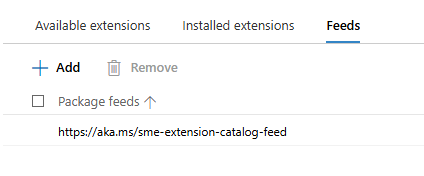
With this older version of WAC we are able to extend WAC functionality with support for Configuration Manager Client and Configuration Manager Client Tools. New WAC (WAC v2) is using different extension feed and as of mid-February 2026 this feed doesn’t have Configuration Manager extension.
WAC v1 – default extensions:
Apps & features
Azure Backup
Azure File Sync
Azure hybrid center
Azure Kubernetes Service
Certificates
Cluster Creation
Cluster Manager
Developer Guide
Devices
Diagnostics
Events
Failover cluster tools
Files & file sharing
Firewall
GPUs
Hardware Manager for Azure Stack HCI (Microsoft Hardware Only)
Local users & groups
Microsoft Defender for Cloud
Network ATC
Network Controller tools and SDN Virtual networks
Networks
Packet monitoring
Performance Monitor
PowerShell
Processes
Registry
Remote Desktop
Remote Support
Roles & features
Scheduled tasks
SDN Gateway connections
SDN infrastructure
SDN Load balancers
SDN Logical networks
SDN Network security groups
SDN Route tables
Security
Server Manager and Computer Management
Services
Storage
Storage Migration Service
Storage Replica
System Insights
Updates
WAC v1 – available extensions:
Active Directory
Advantech IPMI Management (Preview)
Azure Cloud Shell (Preview)
Azure Extended Network
BiitOps Changes
BiitOps Inventory
Configuration Manager Client (Preview)
Configuration Manager Client Tools (Preview)
Containers
DataON MUST Pro
DataON MUST Visibility, Monitoring, and Management Tool
Dell APEX Cloud Platform
Dell OpenManage Integration
Dell PowerPath
Dell PowerStore Manager
DHCP (Preview)
DNS
Fujitsu ServerView® Health
Fujitsu ServerView® RAID
FUJITSU Software Infrastructure Manager
HPE Azure Stack HCI Cluster Deployment and Update Snap-In
HPE OneView WAC Extension
HPE Server and Azure Stack HCI WAC Extensions
HPE Storage
Intel® Server Debug and Provisioning Tool
Lenovo XClarity Integrator
Marvell QLogic Fibre Channel QConvergeConsole Extension
msft.iis.iis-management
NEC ESMPRO
Pure Storage FlashArray
QCT Management Suite
SDN Public IP addresses (Preview)
secureguard blazics Updates
Security (Preview)
Thomas-Krenn.AG | Driver & Firmware Updates
Thomas-Krenn.AG | S2D Micro-Cluster
WAC v2 – default extensions:
Apps & features
Azure Backup
Azure File Sync
Azure hybrid center
Certificates
Cluster Creation
Cluster Manager
Developer Guide
Devices
Events
Failover cluster tools
Files & file sharing
Firewall
Local users & groups
Network ATC
Network Controller tools and SDN Virtual networks
Networks
Packet monitoring
Performance Monitor
PowerShell
Processes
Registry
Remote Desktop
Roles & features
Scheduled tasks
SDN Gateway connections
SDN infrastructure
SDN Load balancers
SDN Logical networks
SDN Network security groups
SDN Route tables
Security
Server Manager and Computer Management
Services
Storage
Storage Migration Service
Storage Replica
System Insights
Updates
Virtual machines and switches
Windows LAPS
WAC v2 – available extensions:
Active Directory
Azure Kubernetes Service
Containers
DataON MUST Visibility, Monitoring, and Management Tool
Dell APEX Cloud Platform
Dell OpenManage Integration
DHCP
DNS
GPUs
Lenovo XClarity Integrator
NEC ESMPRO
NetApp Shift Toolkit (Preview)
Pure Storage FlashArray
VM Conversion (Preview)
What happens if we add WAC v1 extension feed to WAC v2?
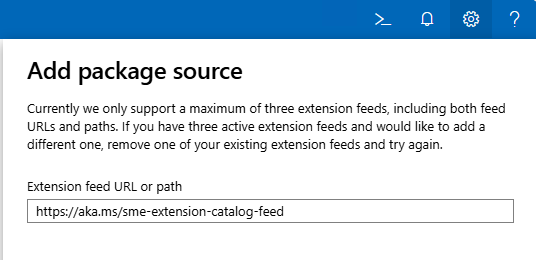
Hm, it gets successfully added…
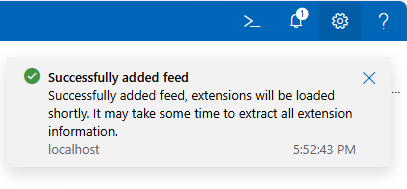
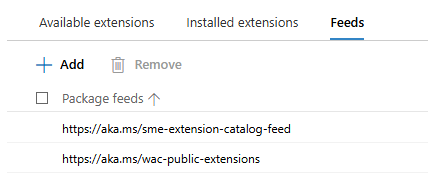
But, does it actually work? Well, no…
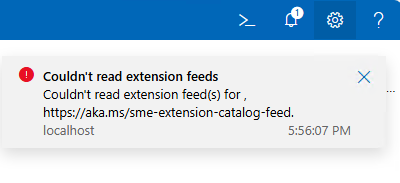
To get support for old extension feed in WAC v2, we are still missing one key configuration change:
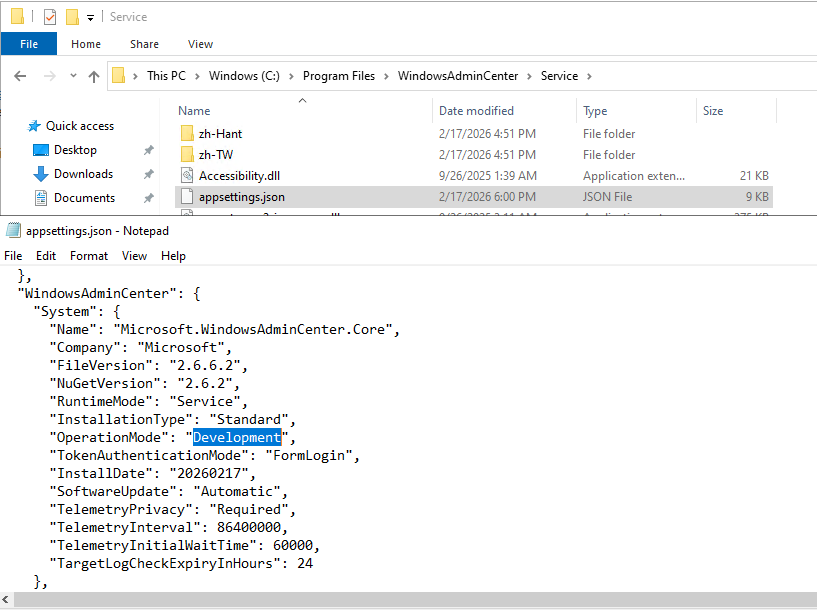
We need to change WAC “operation mode” from “Production” to “Development”. And because this is WAC service configuration file we just changed, we must restart WAC service (Restart-Service -Name WindowsAdminCenter) before we can see this change applied to our WAC portal:
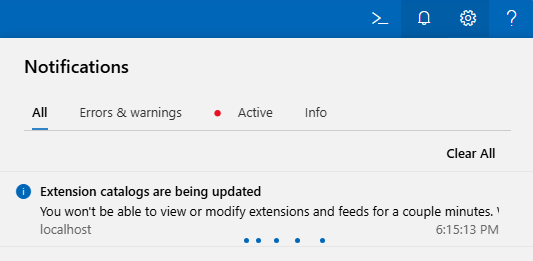
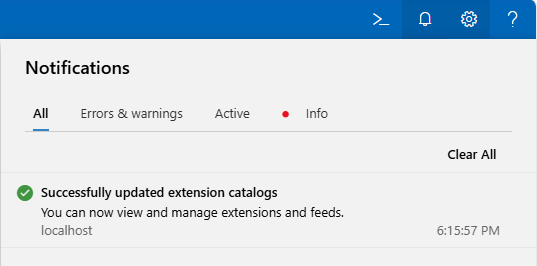
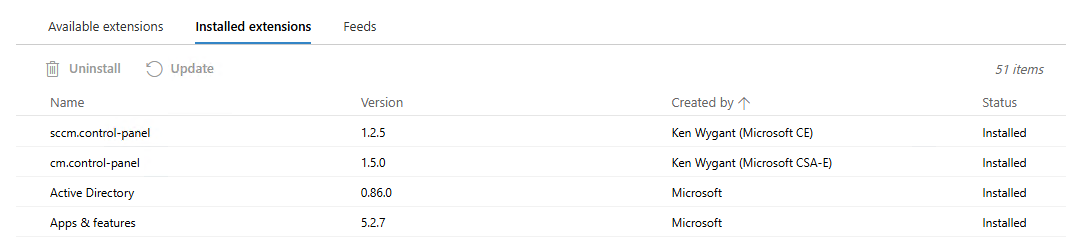
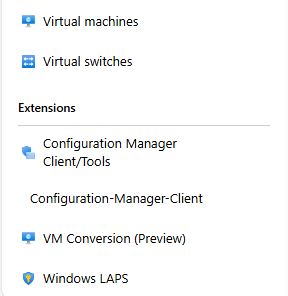
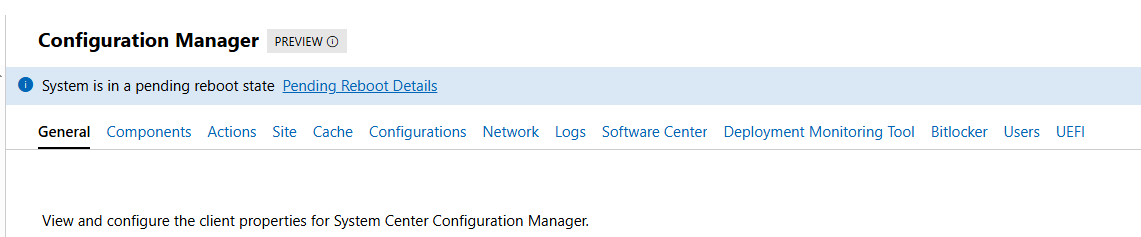
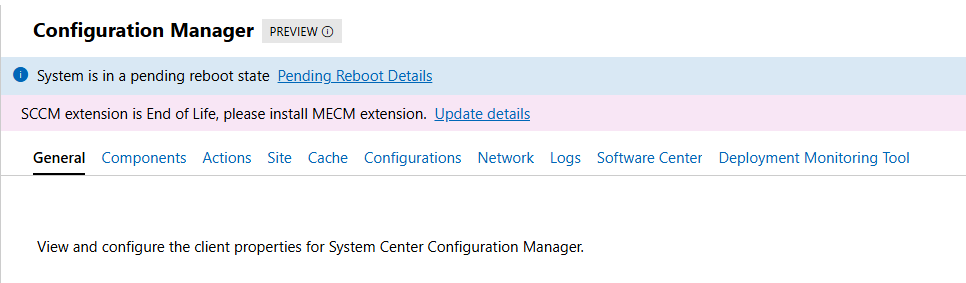
If all goes well, we can now see all “old WAC v1” extensions, including the two for the Configuration Manager Clients:
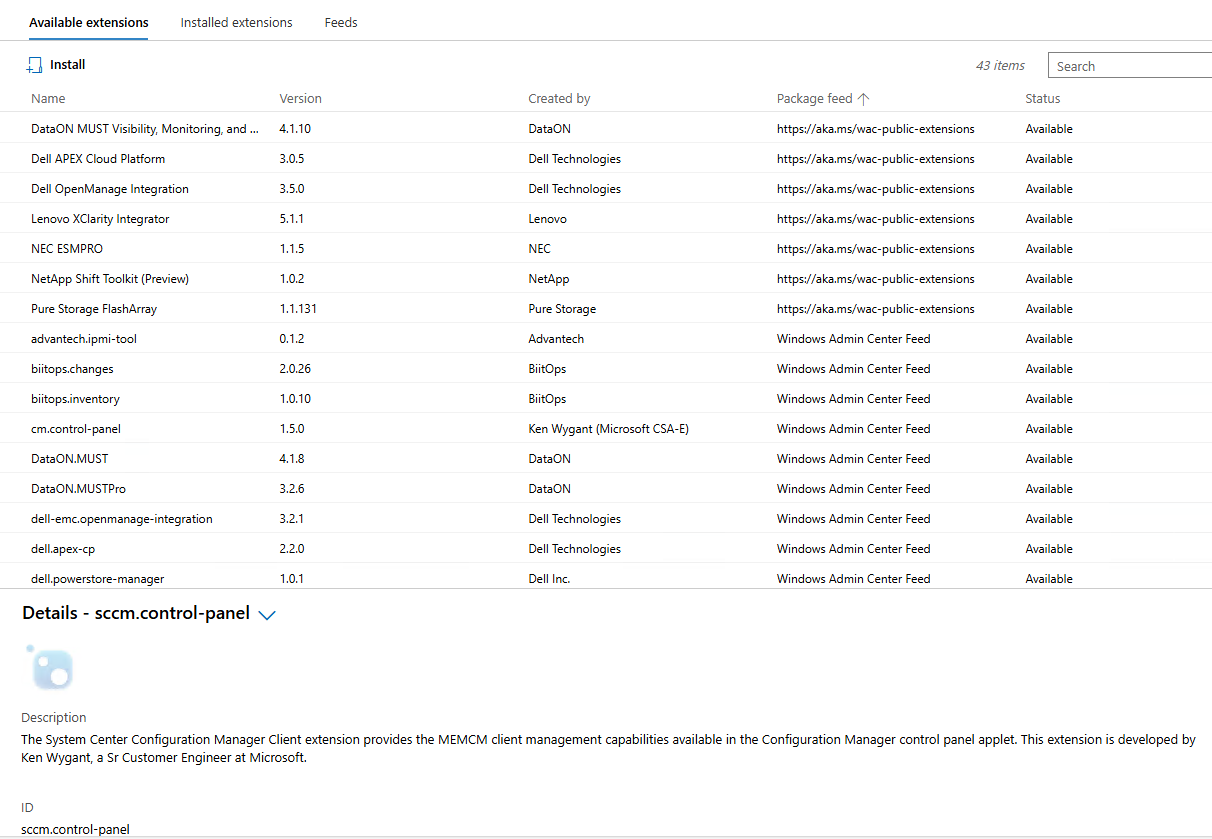
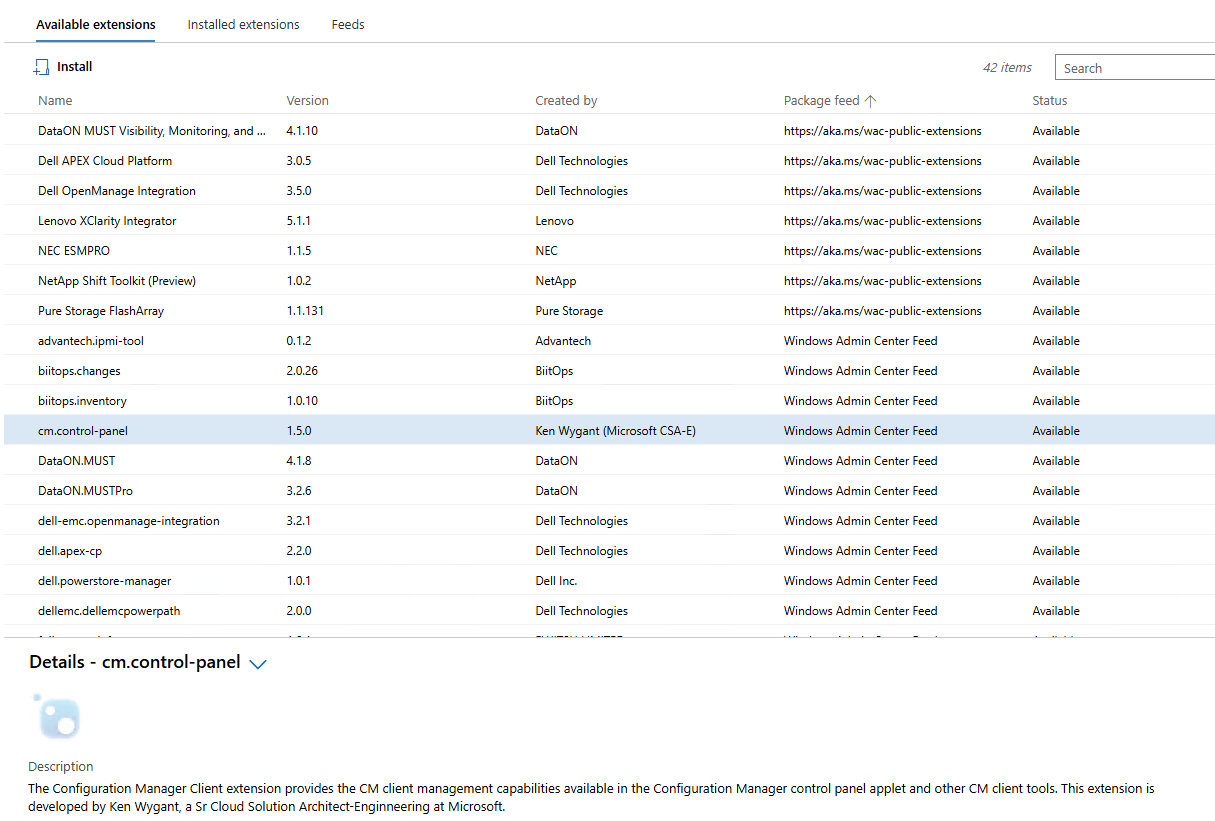
CM extensions installed side-by-side with new extensions on WAC v2:
Until we meet again…
Configuration Manager current branch 2509 available as baseline
With the latest update to Configuration Manager (CM) current branch (version 2509) we’ve finally received new baseline version we can use for new site deployments. Previous baseline version is 2403 and was supported until 22nd of October, 2025. If we had any new site deployments in the last month or two, we had to go first through the deployment of an unsupported product and later on update it to the supported version (2409 and/or 2503). Since CM evaluation links are not yet updated with new baseline version, we still have to do this type of double deployment for evaluation deployments (if we want to use up-to-date systems). The same applies as well to the Windows 11 and Microsoft 365 Deployment Lab Kit download – it was updated in November 2025 with Windows 11 25H2 images, but the Configuration Manager current branch version preinstalled is as of this writing still at version 2403.

Version 2509 is currently available as an in-console update to those that are already running Configuration Manager current branch in their environment. If not, we can find baseline media on the Volume License Service Center or on Microsoft Visual Studio Download center.
General enhancements in version 2509:
- version 2509 of Configuration Manager focuses on security and quality updates (KB35877153)
- Windows 11 25H2 support
- Boot images can be automatically updated to use latest Windows Boot Loader (signed with Windows UEFI CA 2023) – only works on WDS-Less PXE-enabled Distribution Points
- Service Connection Tool improvements (better logging and error handling)
- minimum SQL 2016 or later version
- more info available at: What’s new in version 2509
More information about Configuration Manager versions, support end dates, baselines, hotfixes and more, we can find at Updates and servicing for Configuration Manager.
NTK 2019 and other Microsoft-related news
From 21. until 23. of May 2019, Portorož (Slovenia) became my home for few days. The reason for this was NTK (NT konferenca) – Microsoft’s IT conference that brought together people from all over the place.
During the three days conference was going on, I had a privilege to present three sessions of my own. As always, I was pleasantly surprised by the number of people who came to my sessions, even though the session was in the middle of the lunch time or the last one for the day. Thank you all for showing up and asking questions.
My sessions at NTK 2019 were:
- Povečanje varnosti Windows klientov – ways to improve Windows security
- Vzdrževanje SCCM in WSUS okolja – SCCM and WSUS maintenance
- Brezplačna orodja za upravljanje Windows okolij – free tools to speedup Windows maintenance
Presentations and demo files can be downloaded from NTK web site or from my OneDrive:
- Povečanje varnosti Windows klientov.pptx, Day1-Demos.zip
- Vzdrževanje SCCM in WSUS okolja.pptx, Day2-Demos.txt
- Brezplačna orodja za upravljanje Windows okolij.pptx
For all the demos on day one and day two I used Start-Demo.ps1 PowerShell script. Thank you Jeffrey Snover and Joel “Jaykul” Bennett for the original script.
During one of my presentations there was one Windows Sandbox related question – data sharing between Host and Sandbox. At the time I wasn’t aware of Windows Sandbox – Config Files which I believe is exactly where the question was going. There is MappedFolders parameter, that gives us an option to map local drive into Sandbox on user’s Desktop. Mapped folder can be Read-Only or Read&Write. Example of Windows Sandbox Config file with few additional options: WindowsSandbox.wsb
While we were busy with NTK, Microsoft rolled out few new products, services and announcements:
- Windows 10 1903 (available on VL Service Center since 21st of May, on MSDN since 4th of April)
- Microsoft Security Compliance Toolkit 1.0 updated with final version of Windows 10 Version 1903 and Windows Server Version 1903 Security Baseline (more info)
- AaronLocker updated (info)
- Features in Configuration Manager technical preview version 1905 (Application groups, BitLocker management, Task sequence debugger,…)
- Microsoft Edge preview builds – Chromium-based (Beta, Dev and Canary)
- Application Guard for Chrome und Firefox
On-premises BitLocker management using System Center Configuration Manager
Beginning in June 2019, System Center Configuration Manager (SCCM) will release a product preview for BitLocker management capabilities, followed by general availability later in 2019.
Configuration Manager will support BitLocker for Windows 10 Pro, Windows 10 Enterprise, and Windows 10 Education editions. It will also support Windows 7, Windows 8, and Windows 8.1 during their respective support lifecycles.
SCCM will provide the following BitLocker management capabilities:
Provisioning
Our provisioning solution will ensure that BitLocker will be a seamless experience within the SCCM console while also retaining the breadth of MBAM.
Prepare Trusted Platform Module (TPM)
Admins can open the TPM management console for TPM versions 1.2 and 2.0. Additionally, SCCM will support TPM+PIN for log in. For those devices without a TPM, we also permit USBs to be used as authenticators on boot.
Setting BitLocker Configuration
All MBAM configuration specific values that you set will be available through the SCCM console, including: choose drive encryption and cipher strength, configure user exemption policy, fixed data drive encryption settings, and more.
Encryption
Encryption allows admins to determine the algorithms with which to encrypt the device, the disks that are targeted for encryption, and the baselines users must provide in order to gain access to the disks.
Policy enactment / remediation on device
Admins can force users to get compliant with new security policies before being able to access the device.
New user can set a pin / password on TPM & non-TPM devices
Admins can customize their organization’s security profile on a per device basis.
Auto unlock
Policies to specify whether to unlock only an OS drive, or all attached drives, when a user unlocks the OS drive.
Helpdesk portal with auditing
A helpdesk portal allows other personas in the organization outside of the SCCM admin to provide help with key recovery, including key rotation and other MBAM-related support cases that may arise.
Key rotation
Key rotation allows admins to use a single-use key for unlocking a BitLocker encrypted device. Once this key is used, a new key will be generated for the device and stored securely on-premises.
Compliance reporting
SCCM reporting will include all reports currently found on MBAM in the SCCM console. This includes key details like encryption status per volume, per device, the primary user of the device, compliance status, reasons for non-compliance, etc.
If you are familiar with Microsoft BitLocker Administration and Monitoring (MBAM), you probably noticed that above listed BitLocker-related SCCM improvements to come look a lot like MBAM features – and you would be correct to think that. The reason for that is in Microsoft’s announcement for the MBAM support – MBAM will end mainstream support on July 9, 2019 and will enter extended support until July 9, 2024.
Regardless of the MBAM situation, I sure am happy to see this new feature set is coming to SCCM.
More info at: Microsoft expands BitLocker management capabilities for the enterprise
SloWUG – 2019.02 – Pohitrimo nadzor Windows okolja s SCCM
On 13th of February I was presenting at Slovenian Windows Users Group (SloWUG) in Ljubljana. We looked at different SCCM features, some fully released, some in preview in latest stable build (1810) and some in preview in preview builds. Focus of the presentation was on the features administrators can use, to decrease time of their daily work and at the same time improve existing procedures.
Attached to this post you can find link to my presentation.
After short discussion with attendees, I plan to do another SCCM-related presentation, this time focusing on SCCM maintenance and WSUS.
 Going down the IT rabbit hole